Wiki
JOY Controller
1.Introduction
2.Detection Equipment
You can take a look when the controller is not plugged in:
ls /dev/input/Plug in the controller and take another look.
Look carefullyjs0,event15Is there more of this kind?
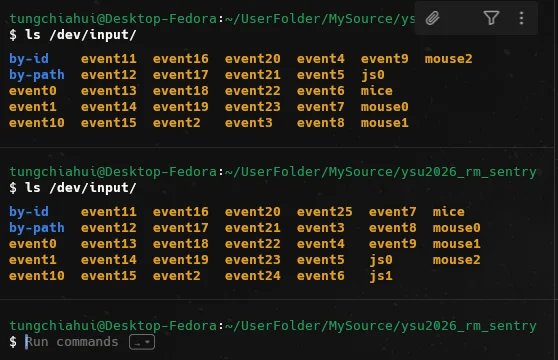
As shown in the figure above, for me I amjs1andevent24.
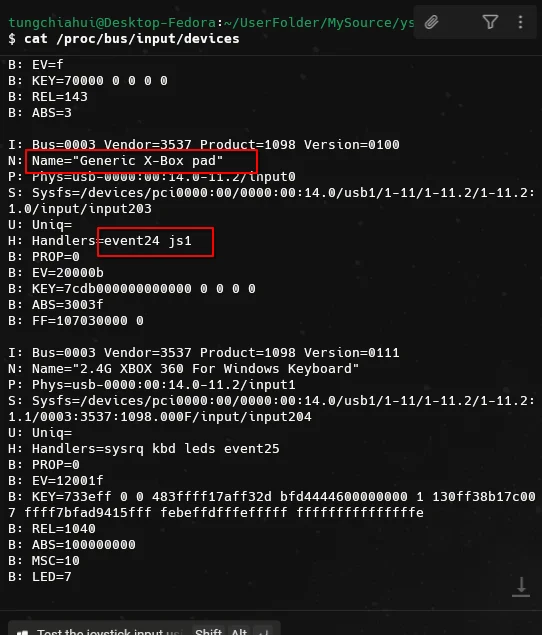
You can use the following command to confirm the device name:
cat /proc/bus/input/devicesFind in orderevent24:
3.Linux test gamepad
# Ubuntu或者Debian
sudo apt install joystick

# Fedora
sudo dnf install joystick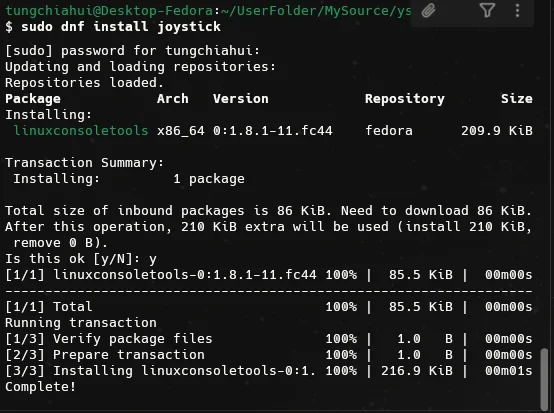
Then
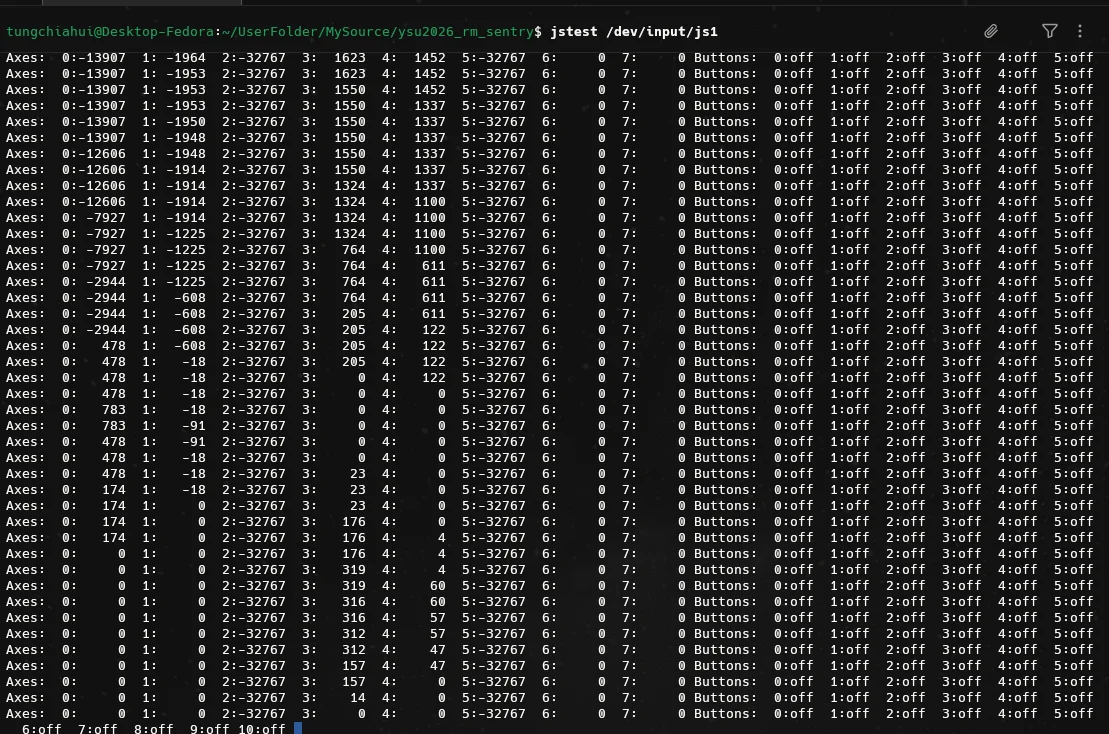
jstest /dev/input/js1You can toggle the joystick to test it:
4.ROS Joy node
Installjoyandjoy-linuxpackages, these two packages are two differentjoynodes.
sudo apt install ros-$ROS_DISTRO-joy
sudo apt install ros-$ROS_DISTRO-joy-linux4.1.Joy
Start node:
ros2 run joy joy_node --ros-args -p device:=/dev/input/js1You can see the prompt in the image indicating that it has already connected to the Xbox controller.

View topic data:
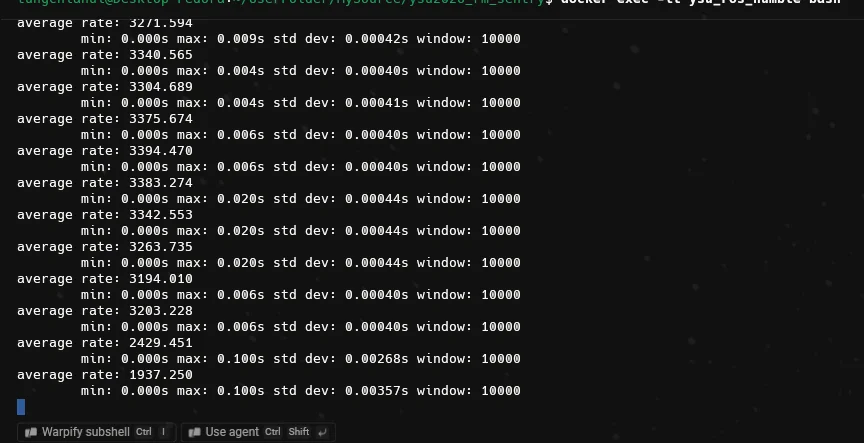
ros2 topic echo /joyFrequency of viewing topics:
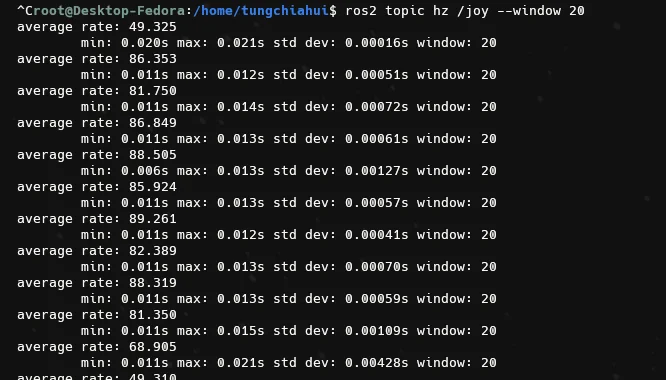
ros2 topic hz /joy --window 20--window 20If the transient state is more accurate, it will discard the older data above,window=20 it will soon discard the old samples.
My frequency here is at 3200 Hz, which is obviously too high.
4.2.Joy_Linux
Try another package:
ros2 run joy_linux joy_linux_node --ros-args \
  -p dev:=/dev/input/js1
You can see the prompt in the image indicating that it has already connected to the Xbox controller.
View topic data:
ros2 topic echo /joyFrequency of viewing topics:
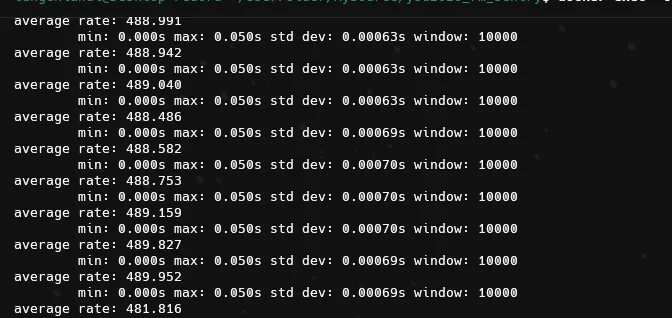
ros2 topic hz /joy --window 20In this package, the frequency is stationary at 20 Hz, and after the handle becomes active, it is at 500 Hz.
ros2 run joy_linux joy_linux_node --ros-args \
  -p dev:=/dev/input/js1 \
  -p autorepeat_rate:=50.0 \
  -p coalesce_interval:=0.01
After using the above command, the frequency dropped to 50-100 Hz, which is the most comfortable frequency range for ROS