2.2.6 点云数据与激光扫描互转应用
本节我们将通过两个案例来演示pointcloud_to_laserscan功能包的基本使用。
1.准备工作
首先请创建一个功能包,指令如下:
ros2 pkg create pcl_and_laserscan --dependencies pointcloud_to_laserscan
然后在功能包下新建launch与params目录,并修改功能包下的CMakeLists.txt文件,添加如下代码:
install(DIRECTORY params launch DESTINATION share/${PROJECT_NAME})
准备工作完毕,接下来就可以进入案例部分了。
2.激光扫描转点云数据
(1)需求
将单线激光扫描数据转换成点云数据。
转换后结果如下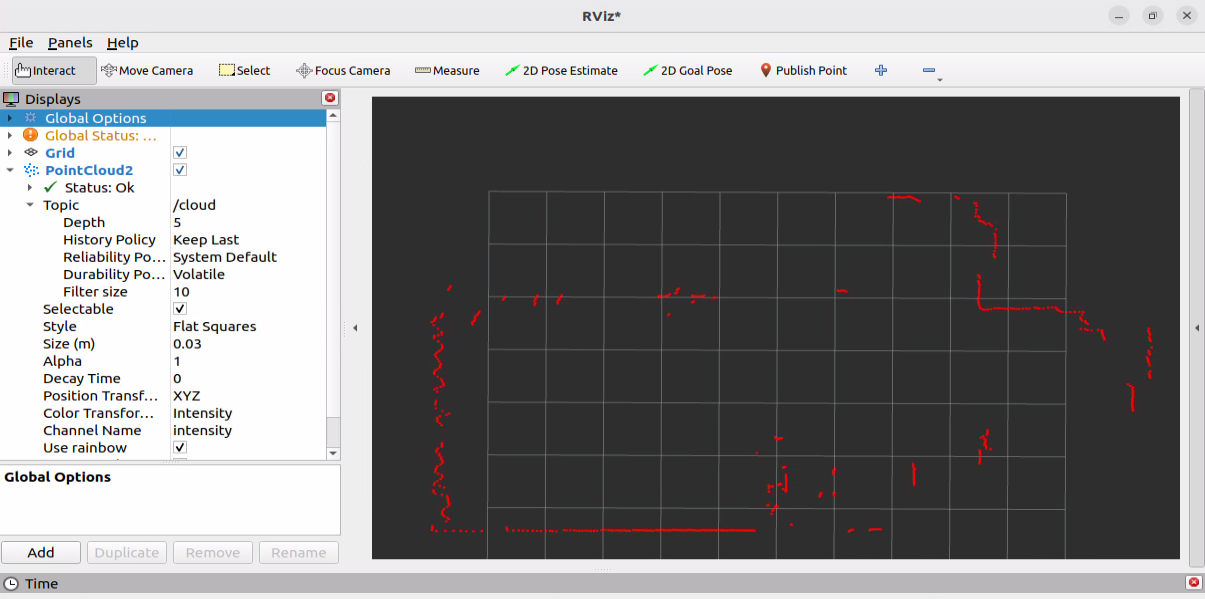
(2)实现
①.准备工作:请先按照1.5.1 单线激光雷达基本使用中的内容连接并保证可以启动单线激光雷达。
②.在功能包的launch目录下新建scan2pcl_launch.py文件,并输入如下内容:
from launch import LaunchDescription
from launch_ros.actions import Node

def generate_launch_description():
    return LaunchDescription([
        Node(
            package="pointcloud_to_laserscan",
            executable="laserscan_to_pointcloud_node",
            name="laserscan_to_pointcloud",
            remappings=[("scan_in", "scan"),
                        ("cloud", "cloud")],
            parameters=[{"target_frame": "laser", "transform_tolerance": 0.01}]
        ),
    ])
③.构建功能包,启动单线激光雷达,执行scan2pcl_launch.py文件,并启动rviz2中,添加PointCloud2插件,将Topic设置为/cloud,并将Topic下的Reliability Policy设置为System Default或Best Effort即可显示转换后的点云数据。
3.点云数据转激光扫描
(1)需求
将多线激光雷达扫描的点云数据转换成单线激光扫描数据。
转换前的点云数据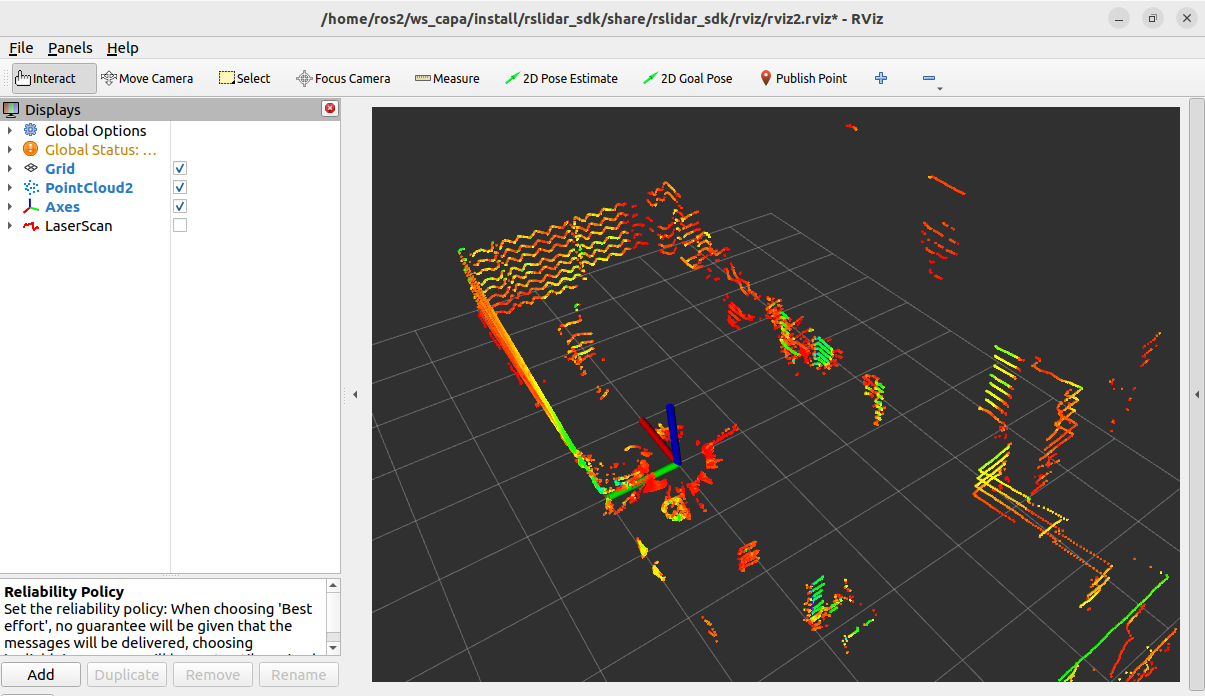
转换后的激光扫描数据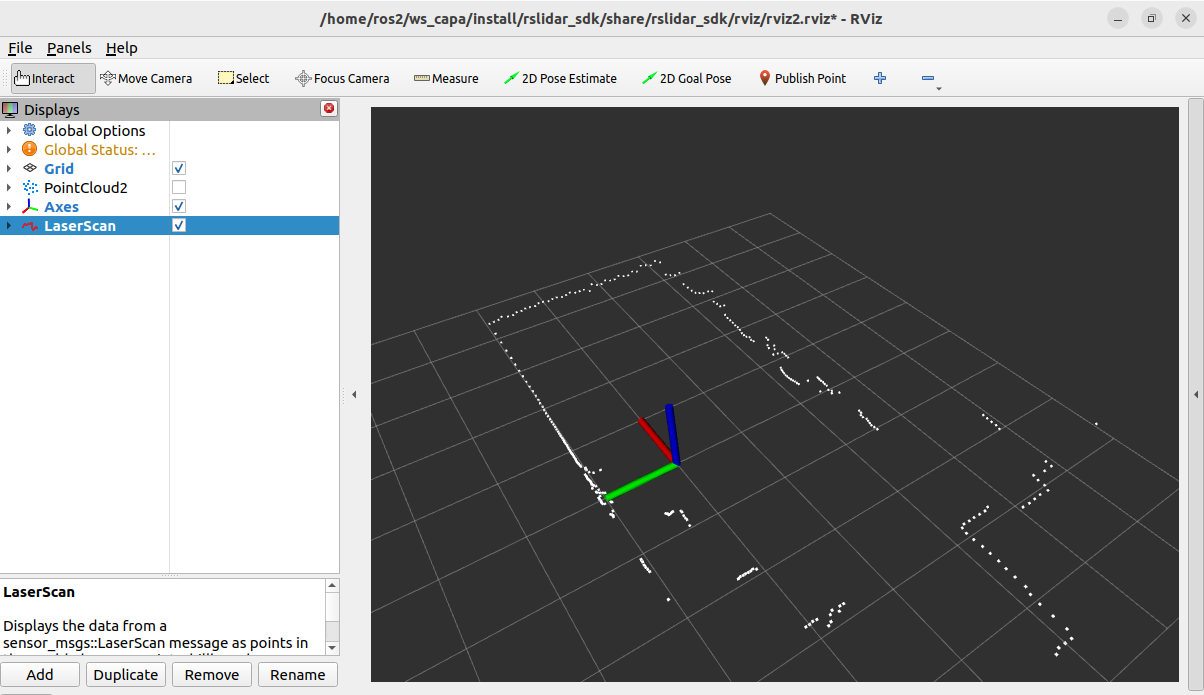
(2)实现
①.准备工作:请先按照1.5.6 多线激光雷达基本使用中的内容连接并保证可以启动多线激光雷达。
②.在功能包的launch目录下新建pcl2scan_launch.py文件,并输入如下内容:
from launch import LaunchDescription
from launch_ros.actions import Node


def generate_launch_description():

    return LaunchDescription([
        Node(
            package="pointcloud_to_laserscan",
            executable="pointcloud_to_laserscan_node",
            name="pcl2scan",
            remappings=[('cloud_in', '/rslidar_points'),
                        ('scan', '/scan')],
            parameters=[{
                'transform_tolerance': 0.01,
                'min_height': 0.2,
                'max_height': 1.0,
            }],
        )
    ])
在上述实现中,我们订阅了rslidar_points话题,并通过设置min_height和max_height截取了0.2米到1.0米的点云数据,最后在scan话题上输出激光扫描数据。
③.构建功能包,启动多线激光雷达(默认启动rviz2),并执行pcl2scan_launch.py文件,在rviz2中,添加LaserScan插件,将Topic设置为/scan,并将Topic下的Reliability Policy设置为System Default或Best Effort即可显示转换后的激光扫描数据。